
Resizing Xterm fonts with Ctrl+<plus> and Ctrl+<minus>

Xterm misses the convenient option to resize the fonts with Ctrl+<plus> and Ctrl+<minus> like xfce4-terminal or gnome-terminal do out of the box.
This feature can be added on Debian systems by dropping a configuration snippet into /etc/X11/Xresources/x11-xterm-fontsize:
! Allow XTerm font size to be changed with Ctrl+<plus> and <minus>
XTerm.vt100.translations: #override \n\
Ctrl <Key> minus: smaller-vt-font() \n\
Ctrl <Key> plus: larger-vt-font()
XTerm.vt100.translations: #override \n\
Ctrl <Key> minus: smaller-vt-font() \n\
Ctrl <Key> plus: larger-vt-font()
Any new X session will inherit this configuration and Ctrl+<plus> and Ctrl+<minus> will work to adjust the font size (and taking the window size along).
The font sizes that Xterm iterates through can be viewed on the Ctrl-<right click> context menu:
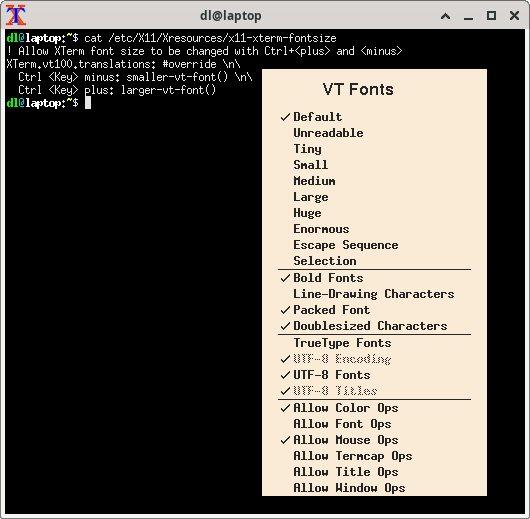 NB: The context menu allows to switch the fonts on systems where the above snippet has not (yet) been installed. So good enough for a one-off.
Comments
Display comments as Linear | Threaded
Tech Savy on :
Thank you! o/
ychaouche on :
Are there still any active xterm users?
Marius Gedminas on :
IIRC you can xrdb -merge /etc/X11/Xresources/x11-xterm-fontsize, and the setting should then be effective for any newly started xterm.
I don't remember if there's a way of asking already-running xterms to reload X resources.
(I quite like gsettings/dconf and the instant apply logic across all running apps.)
TigerP on :
You can also put this information in ~/.Xresources if you only want it for you own user.