Fixing FreeNX / NoMachine NX keyboard glitches (e.g. ALTGr)

There is a add-on technology to X or VNC called NX by an Italian company called NoMachine. It's quite useful as it speeds up working on remote desktops via slow network connections (i.e. DSL pipes) substantially.
The libraries that implement NX are released under GPLv2 by that company. A server wrapping up the libraries' functionality is available as closed source from NoMachine or as a free product (GPLv2 again) by Fabian Franz, called FreeNX.
FreeNX itself is amazing as it is written in BASH (with a few helper functions in C). It's also able to mend some of the shortcomings of the NX architecture. E.g. stock NX requires a technical user called "nx" to able to ssh into the NX server with a public/private keypair. FreeNX can work around that for more secure set-ups.
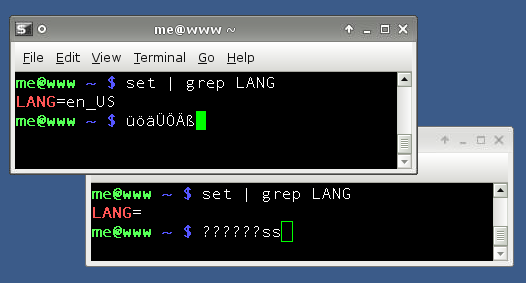
One issue I bumped into quite regularly with Linux clients and Linux hosts from different distributions/localisations is that the keymaps are not compatible. This usually results in the ALTGr key not usable, so German keyboard users can't enter a pipe ("|"), tilde ("~") or a backslash ("\") character. Also the up and down keys are usually resulting in weird characters being pasted to the shell. Now all of that makes using a shell/terminal prompt quite interesting.
Continue reading "Fixing FreeNX / NoMachine NX keyboard glitches (e.g. ALTGr)"